
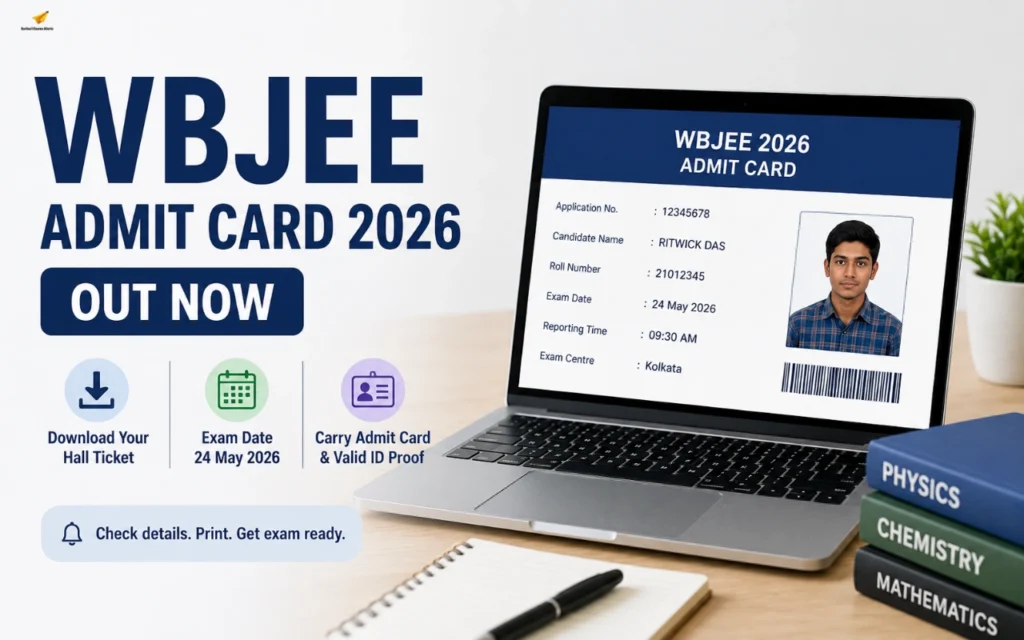
The West Bengal Joint Entrance Examinations Board has officially released the WBJEE Admit Card 2026 on its official website — wbjeeb.nic.in. Candidates who successfully registered for the West Bengal Joint Entrance Examination can now download their hall tickets online using their application number and password/date of birth.
The WBJEE 2026 examination is scheduled to be conducted on 24 May 2026 for admission into undergraduate courses such as Engineering, Pharmacy, and Architecture offered by various colleges and universities across West Bengal. The examination will be held in offline OMR-based mode in two shifts for Paper 1 (Mathematics) and Paper 2 (Physics & Chemistry).
Candidates are advised to download the WBJEE Hall Ticket 2026 well before the examination date and carefully verify all details mentioned on it. The admit card is a mandatory document required for entry into the examination hall, and no candidate will be permitted to appear for the exam without a valid printed copy of the hall ticket and original photo ID proof.
WBJEE Admit Card 2026 Highlights
| Particulars | Details |
|---|---|
| Exam Name | West Bengal Joint Entrance Examination (WBJEE) 2026 |
| Conducting Authority | WBJEEB |
| Admit Card Status | Released |
| WBJEE Admit Card Release Date | 15 May 2026 |
| WBJEE Exam Date | 24 May 2026 |
| Exam Mode | Offline (OMR-Based) |
| Courses Offered | BTech, BPharma, BArch |
| Official Website | wbjeeb.nic.in |
| Credentials Required | Application Number & Password/Date of Birth |
WBJEE Admit Card 2026 Download Link Active
The official WBJEE Admit Card 2026 download link has now been activated by the West Bengal Joint Entrance Examinations Board on its official portal. Candidates appearing for the entrance examination can now log in to the candidate dashboard and access their hall tickets online.
The WBJEE Hall Ticket 2026 contains important information such as the candidate’s name, roll number, exam date, reporting time, examination centre address, photograph, signature, and exam-day instructions. Candidates must carefully check all details mentioned on the admit card immediately after downloading it.
WBJEE Admit Card 2026 Download Link Active
How to Download WBJEE Admit Card 2026?
Candidates can follow the simple step-by-step process given below to download the WBJEE Hall Ticket 2026 online.
Steps to Download WBJEE Hall Ticket
Step 1: Visit the official website — wbjeeb.nic.in/wbjee
Step 2: Click on the “WBJEE Admit Card 2026” link available on the homepage
Step 3: Enter your Application Number and Password/Date of Birth
Step 4: Fill in the captcha code and click on Sign In
Step 5: The WBJEE Hall Ticket 2026 will appear on the screen
Step 6: Download the admit card PDF and take multiple printouts for future use
Also Read: JEE Main Session 2 Result
Details Mentioned on WBJEE Admit Card 2026
After downloading the admit card, candidates should carefully verify all information printed on the hall ticket.
- Candidate’s Name
- Roll Number
- Application Number
- Date of Birth
- Candidate Photograph & Signature
- Exam Date & Timing
- Reporting Time
- Exam Centre Address
- Exam Day Guidelines
WBJEE Exam Date 2026
The WBJEE 2026 entrance examination will be conducted on 24 May 2026 in two papers:
| Paper | Subject | Timing |
|---|---|---|
| Paper 1 | Mathematics | 11:00 AM to 1:00 PM |
| Paper 2 | Physics & Chemistry | 2:00 PM to 4:00 PM |
WBJEE Exam Day Instructions 2026
Candidates appearing for the West Bengal Joint Entrance Examination must strictly follow all exam-day guidelines issued by the West Bengal Joint Entrance Examinations Board to avoid any inconvenience at the examination centre. Students are advised to carefully read all instructions mentioned on the WBJEE Admit Card 2026 before appearing for the examination.
- Candidates should reach the examination centre at least 30–45 minutes before the reporting time mentioned on the admit card. Late entry may not be permitted after the gate closing time.
- It is mandatory to carry a printed hard copy of the WBJEE Admit Card 2026 along with an original valid photo ID proof such as Aadhaar Card, PAN Card, Passport, Voter ID, or Driving Licence.
- Candidates must carefully verify their allotted exam centre details, reporting time, and exam shift before the examination day to avoid confusion at the last moment.
- Electronic devices such as mobile phones, Bluetooth devices, smartwatches, calculators, earphones, or any communication gadgets are strictly prohibited inside the examination hall.
- Candidates should not carry study materials, notes, rough sheets, or any unfair means material inside the exam centre premises.
- Students are advised to follow all instructions given by invigilators and maintain discipline throughout the examination process. Any involvement in malpractice or unfair means may lead to cancellation of candidature.
- Candidates must use only the permitted blue or black ballpoint pen for marking answers on the OMR sheet.
- It is important to keep the admit card safe even after the examination, as it may be required during counselling and admission procedures.
Forgot WBJEE Login Credentials? Here’s What to Do
Many candidates often forget their application number or password while trying to download the WBJEE Admit Card 2026. To help students, the West Bengal Joint Entrance Examinations Board provides an online credential recovery facility on its official website.
Candidates who forget their password can click on the “Forgot Password” option available on the login page and reset it using their registered mobile number or email ID. Similarly, candidates who do not remember their application number can retrieve it by entering details such as their name, date of birth, and registered contact information.
Steps to Recover WBJEE Login Credentials 2026
- Visit the official WBJEE website — wbjeeb.nic.in
- Open the WBJEE candidate login portal
- Click on “Forgot Password” or “Forgot Application Number”
- Enter the required details such as registered mobile number, email ID, or date of birth
- Follow the verification process carefully
- Reset the password or retrieve the application number
- Log in again using the recovered credentials and download the admit card
What to Do If WBJEE Admit Card 2026 Is Not Downloading?
Sometimes candidates may face technical issues while downloading the WBJEE Hall Ticket 2026 due to heavy website traffic, incorrect login credentials, poor internet connection, or browser-related problems. Students should not panic in such situations and can try a few simple troubleshooting methods to resolve the issue quickly.
Candidates are advised to first check whether they are entering the correct application number and password. If the official website becomes slow due to heavy traffic, students should wait for some time and try accessing the portal again during non-peak hours.
Tips to Fix WBJEE Admit Card Download Issues
- Use updated browsers such as Google Chrome or Mozilla Firefox
- Clear browser cache and cookies before logging in again
- Try opening the website in incognito/private browsing mode
- Ensure a stable and high-speed internet connection
- Avoid multiple repeated login attempts continuously
- Use a desktop or laptop instead of a mobile phone for better accessibility
- Disable unnecessary browser extensions temporarily if the website is not loading properly
Frequently Asked Questions (FAQs)
- When was the WBJEE Admit Card 2026 released?
The West Bengal Joint Entrance Examinations Board officially released the WBJEE Admit Card 2026 on 15 May 2026 through its official website.
- How can candidates download the WBJEE Hall Ticket 2026?
Candidates can download the WBJEE Admit Card 2026 by visiting wbjeeb.nic.in and logging in with their application number and password/date of birth.
- What documents are required at the WBJEE Exam Centre 2026?
Candidates must carry a printed copy of the WBJEE Admit Card 2026 along with an original valid photo ID proof such as Aadhaar Card, PAN Card, Passport, Voter ID, or Driving Licence.
- What should candidates do if they forget their WBJEE login credentials?
Candidates can recover their application number or reset their password using the “Forgot Password” or “Forgot Application Number” option available on the official WBJEE login portal.
- What should candidates do if the WBJEE Admit Card 2026 is not downloading?
If the admit card is not downloading, candidates should check their login details, clear browser cache, use a stable internet connection, try a different browser, or contact the official WBJEEB helpdesk for assistance.